
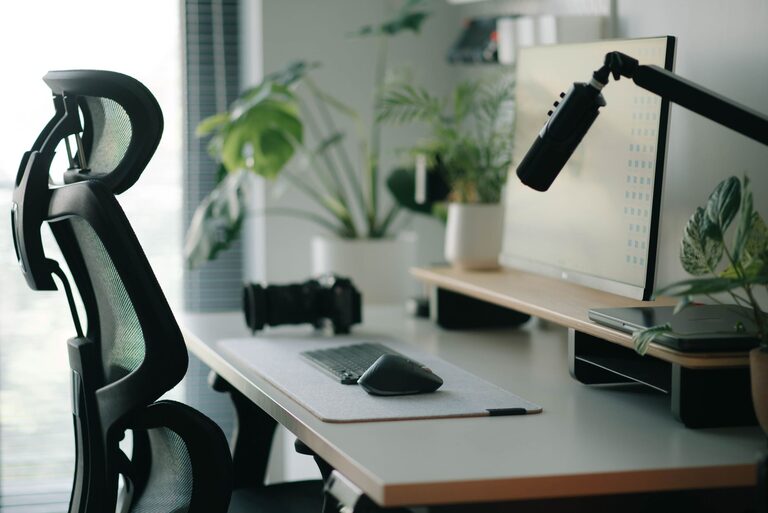
Working at a desk for extended periods requires a setup that supports both your focus and physical comfort. An organized and ergonomic workspace can reduce distractions, prevent discomfort, and improve productivity. Whether you work from home or in an office, small adjustments to your desk setup can make a big difference. Here are detailed tips to help you create a desk environment tailored to your needs.
Choose the Right Desk and Chair
Desk Size and Layout
Select a desk that suits your available space and allows you to keep essential items within easy reach. A surface area of around 48 to 60 inches wide is often ideal for most people, providing enough room for a computer, notebook, and other essentials without feeling cramped.
Consider an L-shaped desk if you need extra workspace for multiple monitors or projects. Also, desks with built-in storage or cable management features can help reduce clutter.
Ergonomic Chair
Invest in a chair that supports your posture. Look for one with adjustable height, lumbar support, and comfortable cushioning. Your feet should rest flat on the floor (or on a footrest), and your knees should be roughly level with your hips when seated.
Proper chair adjustment promotes good posture, reducing fatigue and the risk of back pain.
Optimize Monitor Placement
Eye Level Positioning
Position your monitor so that the top of the screen is at or slightly below eye level. This helps keep your neck in a neutral position and reduces strain.
Place the monitor about an arm’s length away (roughly 20 to 30 inches) from your eyes. This distance varies based on screen size but should prevent you from leaning forward or squinting.
Use a Monitor Stand or Arm
If your desk height or chair is fixed, use a monitor stand or adjustable arm to raise your screen to the correct height. This also frees up desk surface space underneath.
If you use multiple monitors, try to place them side by side at the same height to minimize neck movement.
Organize Your Desk Efficiently
Declutter Regularly
A tidy desk reduces distractions. Remove unnecessary items, old papers, and unused gadgets. Keep only what you use daily on your desk.
Use Organizers and Storage
Desk organizers, trays, and drawers can keep pens, notebooks, and cables in order. Labeling storage containers helps you find items quickly.
Consider vertical organizers or wall-mounted shelves to maximize space.
Cable Management
Keep cords neat using cable clips, sleeves, or under-desk trays. Untangled cables improve aesthetics and reduce hazards.
Lighting Matters
Use Natural Light When Possible
Place your desk near a window to benefit from natural light. Sunlight can improve mood and energy levels.
However, avoid glare on your screen by positioning the monitor perpendicular to the window.
Supplement with Task Lighting
Add a desk lamp with adjustable brightness and angle. Warm light is easier on the eyes for long work sessions.
Avoid harsh overhead lights that cause eye strain or shadows on your workspace.
Incorporate Comfortable Accessories
Keyboard and Mouse
Choose an ergonomic keyboard and mouse to support natural hand positioning. Wrist rests can provide additional comfort.
Keep them close to avoid overreaching.
Footrest
If your feet don’t reach the floor comfortably, use a footrest. This helps maintain proper posture and reduces leg fatigue.
Desk Mat or Pad
A smooth desk mat can improve mouse movement and protect the desk surface.
Establish a Routine for Breaks and Movement
Take Frequent Breaks
Working without breaks can cause fatigue and reduce focus. Try the Pomodoro technique—work for 25 minutes, then take a 5-minute break.
Use breaks to stretch, stand, or walk around.
Incorporate Standing Options
If possible, use a sit-stand desk or a converter that allows you to alternate between sitting and standing. Changing positions helps reduce physical strain.
Personalize Your Workspace Mindfully
Add Greenery
Plants enhance air quality and add a calming presence. Choose low-maintenance plants like succulents or pothos.
Use Inspiring Decor
Add a few personal touches, such as photos or artwork, to make your desk a pleasant place to spend time. Avoid overcrowding to maintain focus.
Control Noise
If you work in a noisy environment, consider noise-canceling headphones or white noise machines to minimize distractions.
Final Thoughts
Creating an ideal desk setup is about balancing function and comfort. Small changes, such as adjusting monitor height or organizing cables, can have a significant impact on your workday. By investing time in optimizing your workspace, you foster an environment that supports focus, reduces physical strain, and ultimately boosts productivity. Start with one or two adjustments today and build from there for a healthier, more comfortable desk setup.
